

Fork the OpenOps repository
Follow these steps to fork the OpenOps repository:- Go to https://github.com/openops-cloud/openops.
- Click the Fork button in the top right corner.
- On the fork configuration page, select the owner to fork under (either your personal account or one of your organizations), then click Create Fork.
https://github.com/your_github_account_or_organization/openops.
Set up Codespaces
In your OpenOps fork, click <> Code, open the Codespaces tab, and click Create codespace on main: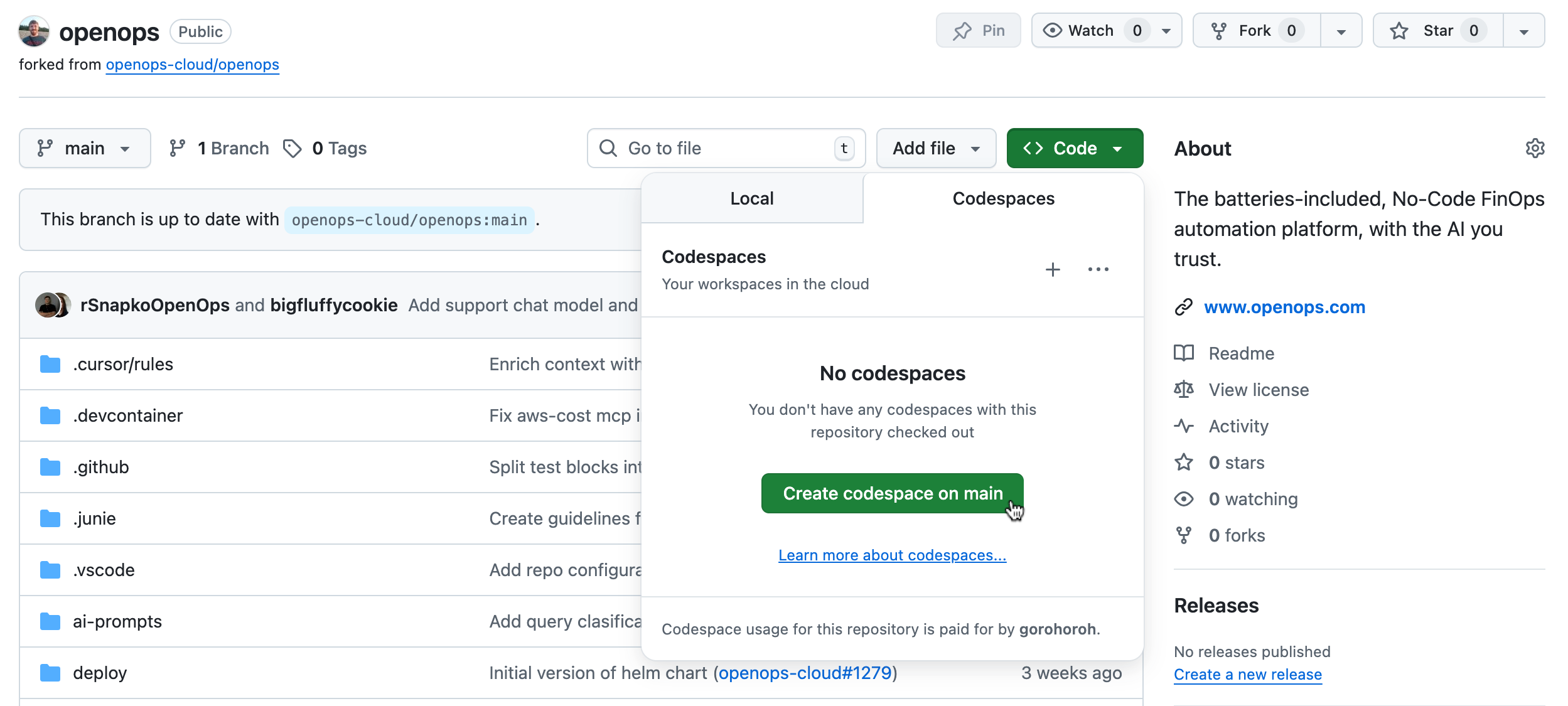
npm start in the terminal.
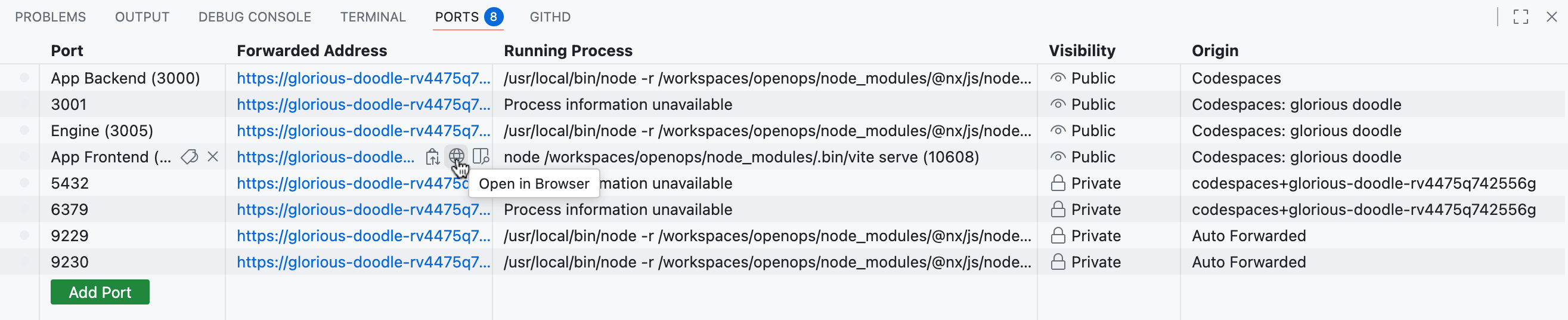
In the Ports tool window, click Open in browser in the App Frontend row to open the OpenOps frontend in a new tab:
- Username:
Dev@openops.com - Password:
12345678